Free · No sign-up
Resize Video
Change a video's resolution with presets for 1080p, 720p, Instagram and TikTok – no upload, no sign-up, no watermark added.
- No upload
- No sign-up
- No new watermark
- MP4, MOV, WebM, MKV, AVI
A real input to try
Start with an openly licensed sample.
An 8-second blue-mug MP4, shared by the remove-ai-watermarks project under Apache-2.0. The source maintainer documents Google Flow / Veo 3.1 Fast. Use the unchanged original to try this editing tool.
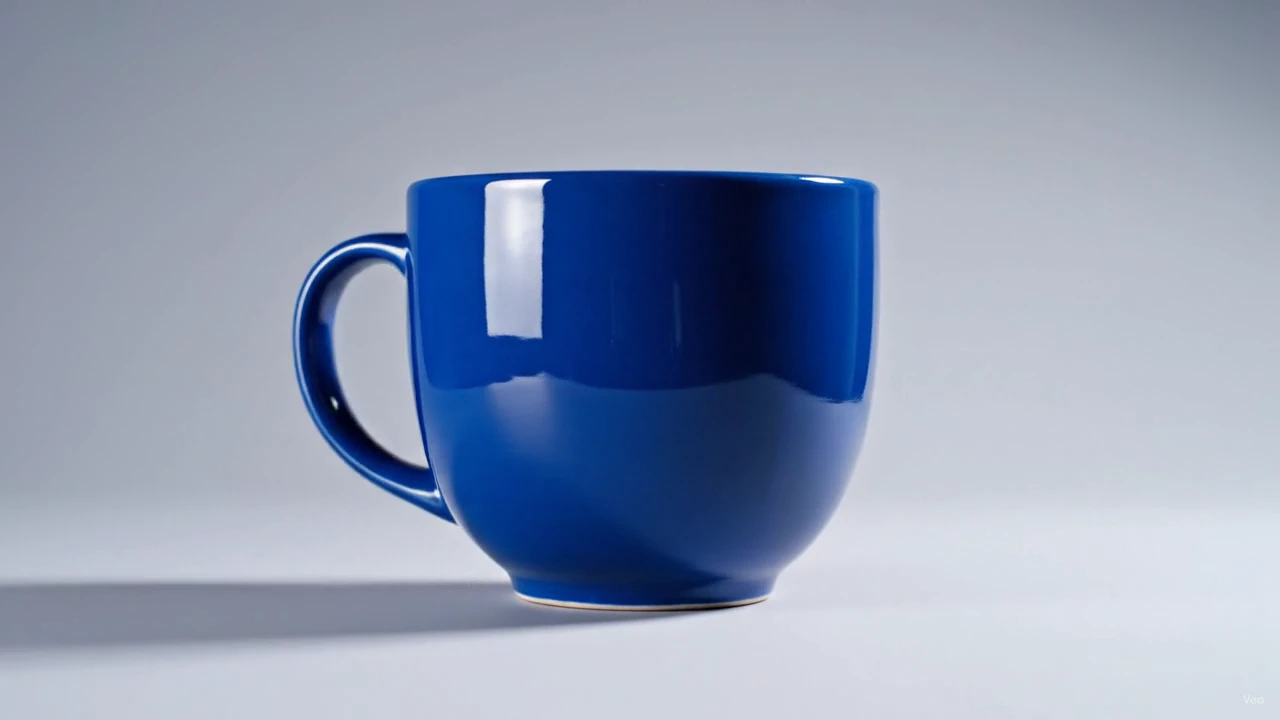
This card shows an input, not a processed result. Loading it does not upload it or start a paid task.
- Source
- wiltodelta · Apache-2.0
- Input
- 1280 × 720 · 0.90 MiB
Resizing changes the pixel dimensions of a video. Scale a 4K clip down to 1080p so it plays smoothly, shrink to 720p for a smaller file, or fit a clip into the exact size Instagram or TikTok expects.
Choose a preset – 1080p, 720p, 480p, or Instagram feed, Stories and TikTok sizes – or type a width. The aspect ratio is kept, so nothing is stretched. If the target shape differs from the source, turn on padding to add letterbox bars instead of cropping.
The scaling runs in your browser with FFmpeg WebAssembly. Your file is never sent anywhere, and the result is an H.264 MP4.
Scale down, not up
Going from 4K to 1080p looks great. Going from 480p to 1080p only makes the same blur bigger. If you need a larger frame, use padding instead.
Crop for vertical formats
To turn a 16:9 clip into 9:16 for TikTok, crop it first with the crop tool, then resize to 1080×1920. Padding alone will leave large bars.
Use even numbers
H.264 needs even dimensions. Presets already comply; when you type a custom width, choose an even number.
All tools
A place for every edit.
Remove a logo, refine your footage, change a format or take the sound with you. Find the tool for your next step.
Watermark removal
Start with the part you want to remove.
- Video watermark remover
- TikTok watermark remover
- Sora watermark remover
- Veo watermark remover
- Gemini watermark remover
- Gemini image watermark remover
- Gemini image logo remover
- Nano Banana watermark remover
- Gemini video watermark remover
- Gemini logo remover
- Gemini video logo remover
- Veo logo remover
- Image watermark remover
- Remove logo from video
- Remove text from video
Edit video
Shape the frame, timing and movement.
Convert
Get the format your next step needs.
Audio
Keep the sound, without the video.

Shape the frame, timing and movement.
Frequently asked questions
Scaling down keeps everything sharp at the smaller size. Scaling up cannot add detail. The file is re-encoded to H.264; at the High setting the encoding itself is not visible.
No. The aspect ratio is always kept. If the preset has a different shape, enable padding to add bars or crop the video first.
MP4, MOV, WebM, MKV and AVI go in. An H.264 MP4 comes out.
Yes. No account, no watermark, and the video stays on your device. Files under about 300 MB and 1080p are comfortable; 4K is slower.